
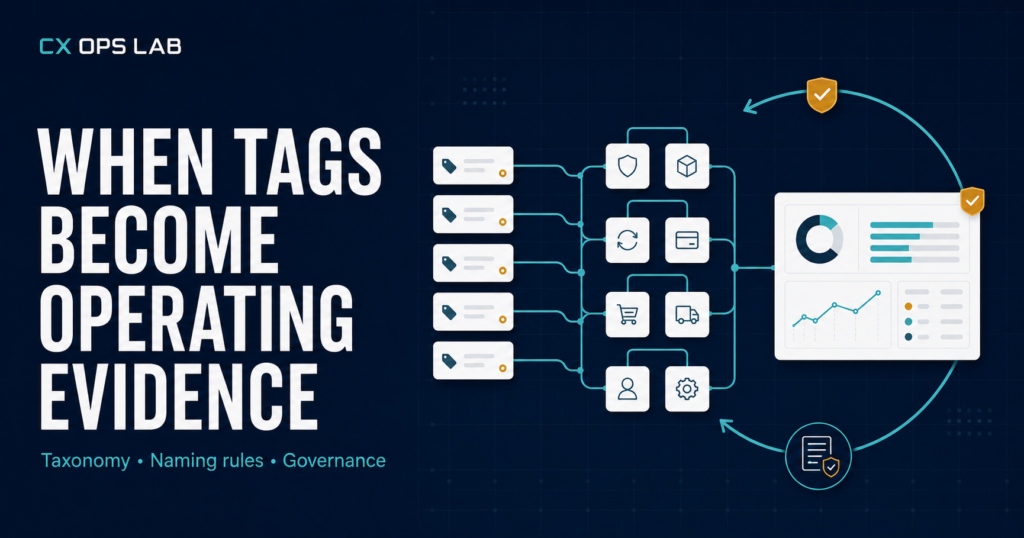
Most support teams tag tickets. Few can tell you what the tags are for. A ticket gets marked “shipping delay” or “wrong item,” the case closes, and the label sits in the CRM doing nothing until someone builds a report nobody trusts. A working customer support tagging strategy is different: every tag exists to answer a specific operating question later, and the taxonomy is built for that question first, the ticket second.
This isn’t a theory problem. In one fast-growing DTC operation, more than 4,900 customer conversations were classified across eight major issue groups over a single stretch of trading. That volume is not unusual for a growing brand — what’s unusual is what happens to it. Without a deliberate structure, 4,900 conversations become 4,900 isolated events. With one, they become a dataset that tells you where the business is actually losing time and money — which is the whole point of building a customer support tagging strategy in the first place, rather than tagging for its own sake.
Why Tagging Breaks Down Before Anyone Notices
Tagging usually starts well. A support lead picks five or six obvious categories — damaged item, wrong item, late delivery — and rolls them out. For the first few hundred tickets it works fine. Then order volume climbs, new agents join, and the categories stop matching reality. Agents start reaching for “other” because nothing fits cleanly. Two agents tag the same issue two different ways. Nobody owns the list, so new tags get added ad hoc until the taxonomy is technically comprehensive and practically useless.
The failure isn’t the tagging itself. It’s that the taxonomy was built to describe conversations instead of to drive decisions. A tag that doesn’t map to an owner, a process, or a corrective action is decoration — it makes the CRM look organized without making the business any easier to run.
A Customer Support Tagging Strategy Needs Three Layers, Not One
The fix that held up at scale — across those 4,900-plus conversations — was structural, not cosmetic. Instead of one flat list of tags, the taxonomy ran on three layers, each answering a different question:
- Issue group (the “what”) — a small set of top-level categories, kept to roughly eight, wide enough to cover the business without forcing agents into “other.” Examples: fulfilment, product condition, delivery timing, order accuracy, refund and return, product information, account and payment, and general inquiry.
- Root process (the “where”) — which internal process the issue traces back to: picking and packing, courier handoff, product quality control, listing accuracy, or payment processing. This is the layer that turns a customer complaint into an operational address.
- Resolution path (the “what happened”) — how the ticket was actually closed: replacement, refund, information provided, escalated, no action needed. This layer is what lets refund rate, replacement rate and escalation rate be pulled straight from tagging data instead of a separate manual count.
A ticket tagged only “wrong item” tells you almost nothing. A ticket tagged wrong item → picking and packing → replacement issued tells you exactly where to look and what it cost to fix. That’s the difference between a label and evidence.
Naming Rules That Keep the Taxonomy Usable
Structure alone doesn’t survive contact with a busy shift. The taxonomy also needs naming discipline, or it drifts back into the same mess within a quarter. Four rules did most of the work:
- Mutually exclusive categories. If an agent has to think for more than a few seconds about which tag applies, the categories overlap and need to be redrawn.
- No permanent catch-all. “Other” is allowed as a temporary holding tag, but it gets reviewed weekly and reclassified — it is never left as a permanent bucket that quietly absorbs 15% of volume.
- One tag owner. A single person approves any new tag or renamed category. Without this, agents create near-duplicate tags (“late delivery” and “shipping delay”) that split the same signal in two.
- Fixed granularity. Every tag in a layer sits at the same level of specificity. Mixing a broad category like “shipping” with a narrow one like “courier lost parcel — DHL” in the same layer makes the data impossible to aggregate cleanly.
None of this requires expensive tooling. The taxonomy above was run inside a standard CRM tagging setup — what made it work was the rules governing how tags were created and used, not the software itself. The pattern isn’t unique to this operation, either: broader help desk research on ticket tagging points to the same failure mode across industries — tagging turns into noise the moment volume outruns the naming discipline behind it. A sound customer support tagging strategy is a governance problem before it’s a tooling problem.
| Not sure whether your current tagging is producing usable data or just labeled clutter?The Professional Operations Health Check walks through how your support data currently connects — or doesn’t — to root cause and revenue, and flags exactly where the gap sits. |
Turning Tags Into a Weekly Reporting Loop
A taxonomy only earns its keep once it feeds a review cadence. The tagged data from those 4,900-plus conversations was pulled weekly against three questions — the same three questions any customer support tagging strategy should be able to answer on demand, not just at quarter-end:
- Which issue group grew week-over-week, and by how much?
- Which root process is generating the largest share of a given issue group?
- Which resolution paths are costing the most — replacement volume, refund volume, escalation volume — and are they trending up or down?
This is a short review, not a dashboard project. It takes a filtered export and thirty minutes, and it’s the step most teams skip — they build the taxonomy, then never look at it on a schedule. A taxonomy without a review cadence degrades at the same rate as one with no structure at all; it just takes longer to notice.
The Governance Checklist
Before treating a tagging system as production-ready, it should hold up against a short governance check. This is the same checklist worth running any time a customer support tagging strategy is inherited from a previous team or rebuilt after a CRM migration:
- Every top-level issue group is used by more than one agent without confusion about what belongs where.
- “Other” accounts for a small, stable share of tickets — not a growing one.
- Every tag maps to at least one internal process, so a spike in a tag points to a specific team or step.
- One person owns tag creation and renaming, and changes are logged, not made silently.
- The data is reviewed on a fixed weekly cadence, with findings written down — not just glanced at.
A taxonomy that passes all five is doing its job: turning frontline labels into something a business can act on. A taxonomy that fails two or more of these is closer to filing than to reporting, no matter how many categories it has.
Who Owns the Taxonomy as the Team Grows
For a solo operator, ownership isn’t really a decision — whoever answers tickets also maintains the tag list, and consistency is easy because only one person is applying it. The real test of a customer support tagging strategy starts the moment a second agent joins. At that point, tag ownership has to move from “whoever thinks of it” to a named role, even if that role sits with the same person who does everything else early on.
The title matters less than the fact that someone is answerable for the list: approving new tags, retiring dead ones, and running the weekly review described above. Skipping this step is why taxonomies that worked fine solo start fragmenting within weeks of the first hire — not because the original categories were wrong, but because ownership never formally moved with them. A customer support tagging strategy that survives team growth is one where the ownership question was answered before the second agent’s first shift, not after the tag list has already split into duplicates.
What This Looks Like as Volume Grows
The real test of a customer support tagging strategy isn’t how it performs at 500 conversations — it’s whether it still holds at 4,900 and beyond. Categories that felt sufficient early on start colliding. New issue types appear that don’t fit the original eight. This is expected, and it’s exactly why the tag-owner rule matters: someone has to be responsible for deciding when a category needs to split, merge, or retire, rather than letting the list grow by accretion until it’s unusable.
Two related pieces worth checking: for teams still building the underlying documentation this taxonomy depends on, the SOP template breakdown covers what needs to exist before tagging data can be trusted. And if the volume behind these tickets is starting to outpace one person’s bandwidth, the junior CS hiring framework lays out scope and delegation for the first support hire.
Connecting Tags to Refund and Escalation Reporting
A three-layer customer support tagging strategy earns most of its value once it stops living only inside the CRM. The resolution-path layer — replacement, refund, escalation, information provided — is what lets refund rate and escalation rate be calculated straight from tagging data instead of a parallel manual count kept in a separate spreadsheet.
That single change removes one of the most common sources of drift in ecommerce reporting: a refund dashboard that disagrees with the CRM because the two were never built from the same source. Once tagging and reporting share one dataset, a spike in “product condition” tickets tied to “refund issued” resolutions becomes visible the same week it happens, not the following month when someone finally reconciles the numbers by hand.
Where to Start
If a tagging system already exists, the fastest audit is a one-week pull: export every ticket tagged in the last seven days and check how many landed in “other” or in an ambiguous category. Anything above roughly 10% means the taxonomy needs rebuilding before the reporting on top of it can be trusted. If no tagging system exists yet, start with the three-layer structure above — issue group, root process, resolution path — rather than a single flat list, and assign a tag owner from day one.
None of this has to be built in one sitting. A working customer support tagging strategy can start with the issue-group layer alone, add root process once volume justifies it, and layer in resolution paths once refund and escalation reporting are ready to pull from tagging data directly. The sequence matters less than making sure each layer, once added, gets the same naming discipline and ownership described above — a taxonomy built in stages still needs one person accountable for it from the first tag onward.
| Want a structured read on where your current support data is falling short?Take the Professional Operations Health Check — a focused assessment built around the same operating layers covered here, with results mapped to a specific next step. |
| About CX Ops LabCX Ops Lab publishes operational frameworks, SOP templates, and case-study content built from real DTC ecommerce operations — not theory. Every framework was pressure-tested during live operational conditions across Shopify, Shopee, and Lazada at $610,000+ USD GMV scale. Website: cxopslab.io | Products: payhip.com/CXOpsLab |