
An out of stock email sequence is the difference between a customer who quietly cancels and one who agrees to wait. When 53 orders across three sales channels hit a stockout on the same day, there was no room to improvise — we needed an out of stock email sequence that could go out within hours, track every reply, and adjust as responses came in. This post breaks down the exact four-email sequence we used, the day-by-day timing behind it, and the outcome data from tracking every single response for 14 days straight.
Why a Generic Out of Stock Email Sequence Doesn’t Retain Revenue
Most brands treat a stockout as a single email: “Sorry, it’s delayed, here’s your refund.” That single message removes the customer’s ability to choose, and it treats every affected order the same way regardless of how much that customer actually wants the product. A real out of stock email sequence works differently. It’s built in stages, each with a specific job — notify, offer a choice, follow up on silence, and escalate what’s still unresolved.
The cost of skipping a proper out of stock email sequence shows up in refund volume. Baymard Institute’s usability research has found that a majority of ecommerce sites don’t give shoppers the option to purchase a temporarily out-of-stock item by simply extending the delivery window — they default straight to “unavailable,” which pushes hesitant buyers toward cancellation. The same logic applies after the sale: if your only communication is a refund notice, you’re removing the wait-stock option before the customer ever gets to consider it.
The Out of Stock Email Sequence We Actually Used: Email A–D
Here’s the out of stock email sequence we built for that 53-order event, mapped across a 14-day window. Each email (A through D) has a fixed trigger day, a single job, and an owner responsible for sending it.
Email A — Day 0–1: The Proactive Notification
The first email in the sequence goes out to every affected customer within 24 hours of confirming the stockout — never after the first complaint arrives. It states the product name, a specific restock date (not a vague “soon”), and leads with the Wait Stock option before mentioning a refund at all. Order of options matters here: presenting Wait Stock first frames the refund as a fallback, not the default outcome.
Email B — Day 3: The Pending Follow-Up
Not everyone replies to Email A. By Day 3, we segment every order into one of four outcomes and send Email B only to the “no response” group. This email restates the same two options in fewer words and adds a light nudge — a specific reply deadline — since unresolved orders are the highest-risk group for silent refund requests or chargebacks later.
Email C — Day 7: The Final Follow-Up
Customers still unresolved by Day 7 receive one last direct message before the case moves to manual escalation. This email is shorter and more direct than the first two, and it states plainly that a decision is needed to keep the order active. This step alone typically resolves a meaningful share of the remaining pending orders in any out of stock email sequence, simply because some customers had missed the earlier messages entirely.
Email D — Day 10: Manager Escalation
Anything still unresolved by Day 10 stops being an automated step and becomes a personal outreach from a senior team member — a direct message, not a template. At this stage in the out of stock email sequence, the remaining cases are usually high-value orders or customers with prior support history, and they get same-day priority handling rather than another scheduled email.
Day-by-Day Breakdown
| Day | Purpose | Owner | |
|---|---|---|---|
| Day 0–1 | Email A | Proactive notification, Wait Stock offered first | CS Lead |
| Day 3 | Email B | Follow-up to all Pending customers | CS |
| Day 7 | Email C | Final follow-up to remaining Pending | CS |
| Day 10 | Email D | Personal escalation, senior priority | CS Lead |
| The Numbers Behind This SequenceAcross the 53 orders affected by this stockout, this out of stock email sequence produced 34 explicit Wait Stock confirmations directly from customer replies, 4 refund requests, and a small number of cases that needed Day 10 escalation. Total revenue retention for the event came to 66.8% — well above the 60% internal benchmark for a single-SKU stockout of this size. |
Framing Wait-Stock Before Refund
The order in which you present Wait Stock and Refund isn’t a minor copywriting choice — it’s the single biggest lever in any out of stock email sequence. When refund is presented as the default or the only visible action, customers take the path of least resistance and click it. When Wait Stock is presented first, with a real date attached, it becomes an active decision rather than an afterthought.
Klaviyo’s own guidance on back-in-stock flows reinforces this from the other direction: a “notify me” signup already signals purchase intent, so the follow-up messaging should treat waiting as the expected outcome, not a consolation prize. The same principle carries into a manual out of stock email sequence for orders that already exist — the framing, not just the timing, decides whether a customer waits or walks.
Tracking Every Response: The Four-Outcome System
An out of stock email sequence is only as good as the tracking behind it. Every reply gets tagged into one of four outcome buckets the same day it arrives, so nothing sits unresolved without someone knowing about it.
| Outcome | Orders (of 53) | Next Action |
|---|---|---|
| Wait Stock (confirmed) | 34 | Revenue retained, scheduled for fulfilment on stock arrival |
| Full Refund | 4 | Processed within 1–2 business days |
| Pending → resolved via follow-up | 12 | Converted after Email B or Email C |
| Escalation | 3 | Handled same-day via Email D outreach |
What Happened After Day 14
By Day 14, every one of the 53 orders had a final status. The breakdown below is what made the 66.8% retention number possible — and it’s the same structure we now use as the default for any out of stock email sequence, regardless of order volume.
Retention Rate (%) = (Total OOS Value − Refunds Issued) ÷ Total OOS Value × 100. For this event, that formula produced the 66.8% figure referenced throughout this post — with only 4 of 53 orders converting to a refund.
Common Mistakes in an Out of Stock Email Sequence
A few mistakes come up repeatedly when brands try to build their own out of stock email sequence from scratch:
1. Sending one email and stopping. A single notification catches whoever opens it that day and loses everyone else. The follow-up steps in an out of stock email sequence exist specifically to catch the customers who missed, ignored, or forgot about the first message.
2. Leading with the refund option. Even when the intent is to sound accommodating, listing the refund before the wait option quietly tells the customer which one you expect them to pick.
3. Giving a vague restock window. “A few weeks” reads as uncertainty. A specific date, even a conservative one, reduces the anxiety that drives customers toward an immediate refund request.
4. Not tracking replies against a deadline. Without Day 3 and Day 7 checkpoints, “pending” customers stay pending indefinitely, and by the time anyone notices, the order is old enough that a refund is the only option left.
Should You Automate the Sequence?
You don’t need enterprise software to run this. The version described here was built and sent manually across Shopify, Shopee, and Lazada order data — no unified ESP, no automation platform, just a tracker and four email templates fired on a schedule. If you already run Klaviyo or a similar platform, the logic is the same: a back-in-stock flow can automate the notification step, but the follow-up, tagging, and escalation stages of a full out of stock email sequence still need a manual owner watching the tracker daily. Automation removes the sending work, not the decision-making.
Running This Across Shopify, Shopee, and Lazada
Running this out of stock email sequence across three separate sales channels adds a layer most single-platform guides skip entirely. Shopify, Shopee, and Lazada each store order and contact data differently, and none of them share a single customer record. That means the outcome tracker — not the platform itself — becomes the single source of truth for which stage of the sequence each customer is in.
In practice, this meant exporting order data from all three platforms into one tracker before Email A ever went out, tagging each row with its originating channel, and treating the sequence timing (Day 0, Day 3, Day 7, Day 10) as identical regardless of where the order came from. Customers don’t care which platform they ordered through — they care whether the brand communicated clearly and on time. A consistent out of stock email sequence, applied the same way across every channel, is what makes that possible without a unified backend.
FAQ: Out of Stock Email Sequences
A few questions come up often when teams start building this process internally.
How many emails should an out of stock email sequence include?
Four is the minimum for a stockout that runs longer than a week: an initial notification, a Day 3 follow-up, a Day 7 final follow-up, and a Day 10 escalation path for anything still unresolved. Shorter stockouts can compress this to two or three touchpoints.
Should the out of stock email sequence be automated?
The notification step can be automated through a back-in-stock flow in most ESPs. The follow-up, tagging, and escalation stages are harder to automate reliably because they depend on reading and classifying each customer’s reply, which is why a manual tracker still matters even inside an automated flow.
What’s a good benchmark for revenue retention during a stockout?
Treat 60% as a reasonable floor for a single-SKU stockout handled with a structured out of stock email sequence. The 66.8% figure referenced in this post came from a stockout affecting 53 orders across three sales channels, tracked daily for 14 days.
External Research Referenced
Baymard Institute — Allowing purchase of temporarily out-of-stock products by extending delivery time
Klaviyo Help Center — How to configure back-in-stock alert emails
Related reading: → How We Retained 66.8% of OOS Revenue With One Proactive Email
Get the Full Email A–D Template Set
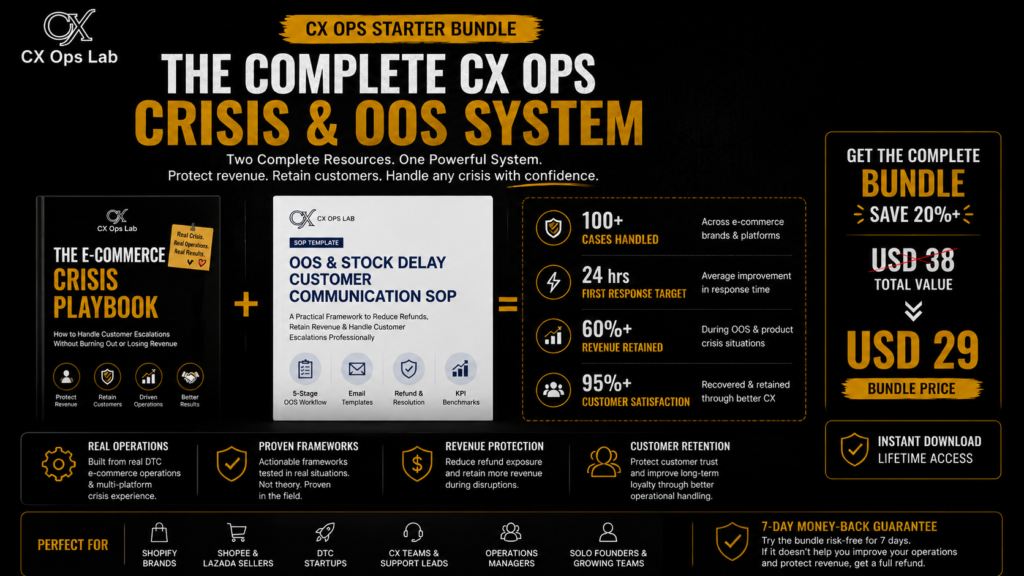
The four templates referenced in this post — Email A through Email D, plus the outcome tracker and the escalation checklist — are the exact documents used during this event. They’re included in full, ready to copy and edit, inside the OOS & Stock Delay SOP Template.
→ OOS & Stock Delay SOP Template ($19)
→ Ecommerce Crisis Playbook ($19)
Is This Sequence a One-Off, or Part of a System?
A good email sequence saves individual orders. Whether it saves your operation depends on whether OOS handling is documented anywhere beyond one person’s inbox. The free Ecommerce Operations Health Check checks that, along with four other areas that tend to break under pressure.
About CX Ops Lab
CX Ops Lab publishes operational frameworks, SOP templates, and case-study content built from real DTC ecommerce operations — not theory. Every framework was pressure-tested during live operational conditions across Shopify, Shopee, and Lazada at $500K+ USD GMV scale.
Website: cxopslab.io | Products: payhip.com/CXOpsLab